
Credentials stay local
Passwords, tokens and private keys live in the OS credential store.
LOCAL CREDENTIAL BROKER
Keep passwords out of AI chats. You decide what is authorized; SecretBridge performs the operation locally and returns filtered results.
MEET SECRETBRIDGE
PRODUCT INTRODUCTION
See a real workflow with local credentials, human approval and filtered results.
A CLEARER WAY TO OPERATE
Give credential-bearing work a clear target, permission and result.
Passwords, tokens and private keys live in the OS credential store.
Review the operation snapshot and choose single approval or a conversation policy.
Filter output before return or storage, then revisit the retained history.
THE APPROVAL PATH
Fixed target and ordinary parameters
Review the snapshot and lifetime
Credentials used internally
Filtered, recorded and inspectable
Approval controls operations requested through SecretBridge. Processes with arbitrary code execution under the same OS account may still bypass application controls.
YOUR LOCAL WORKBENCH
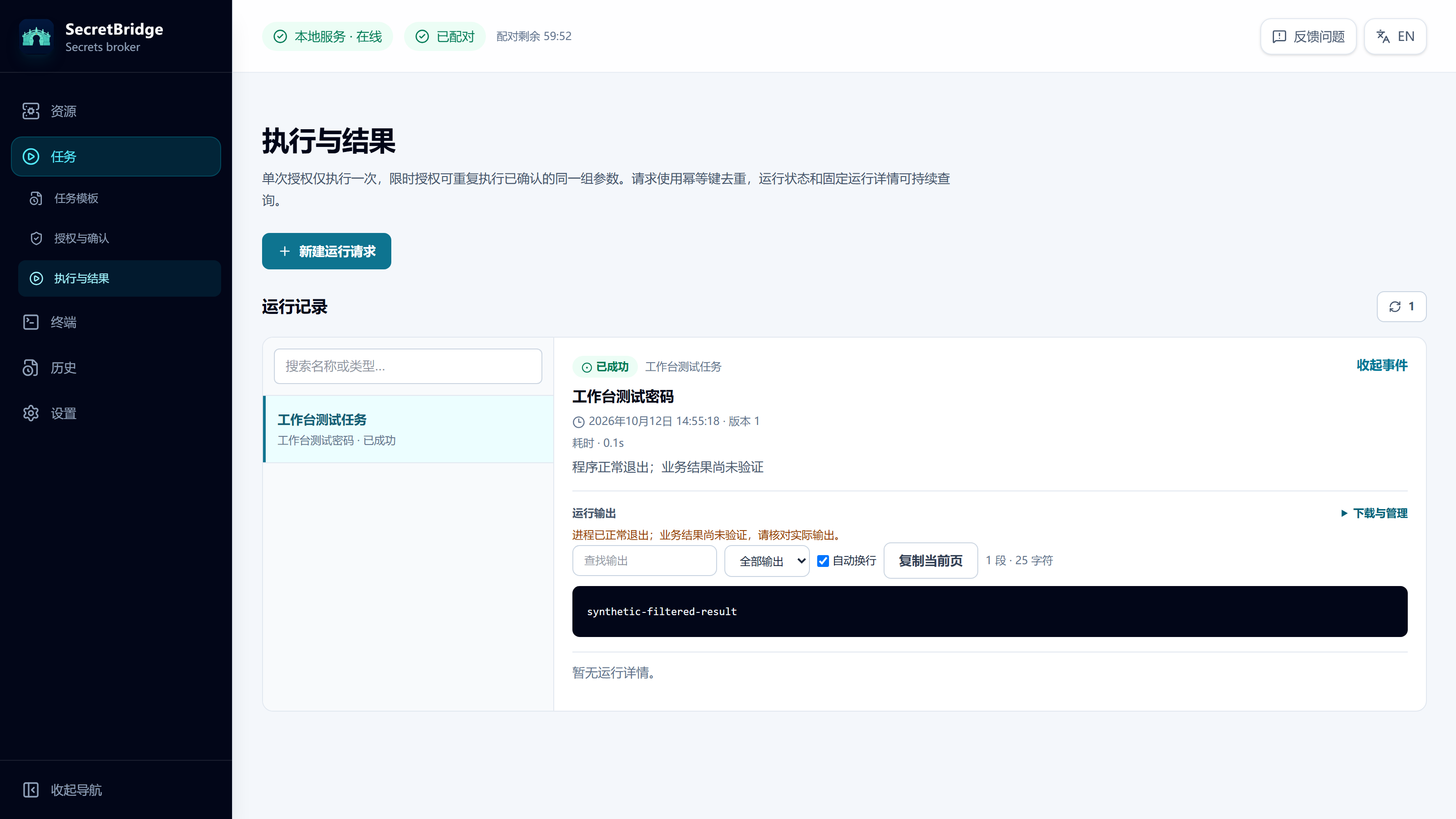
Maintain address, account and authentication in one resource. Tasks preserve reviewable configuration; approvals and execution records remain connected.
Explore the productTHE REAL PRODUCT
Explore the local workbench from a real test.
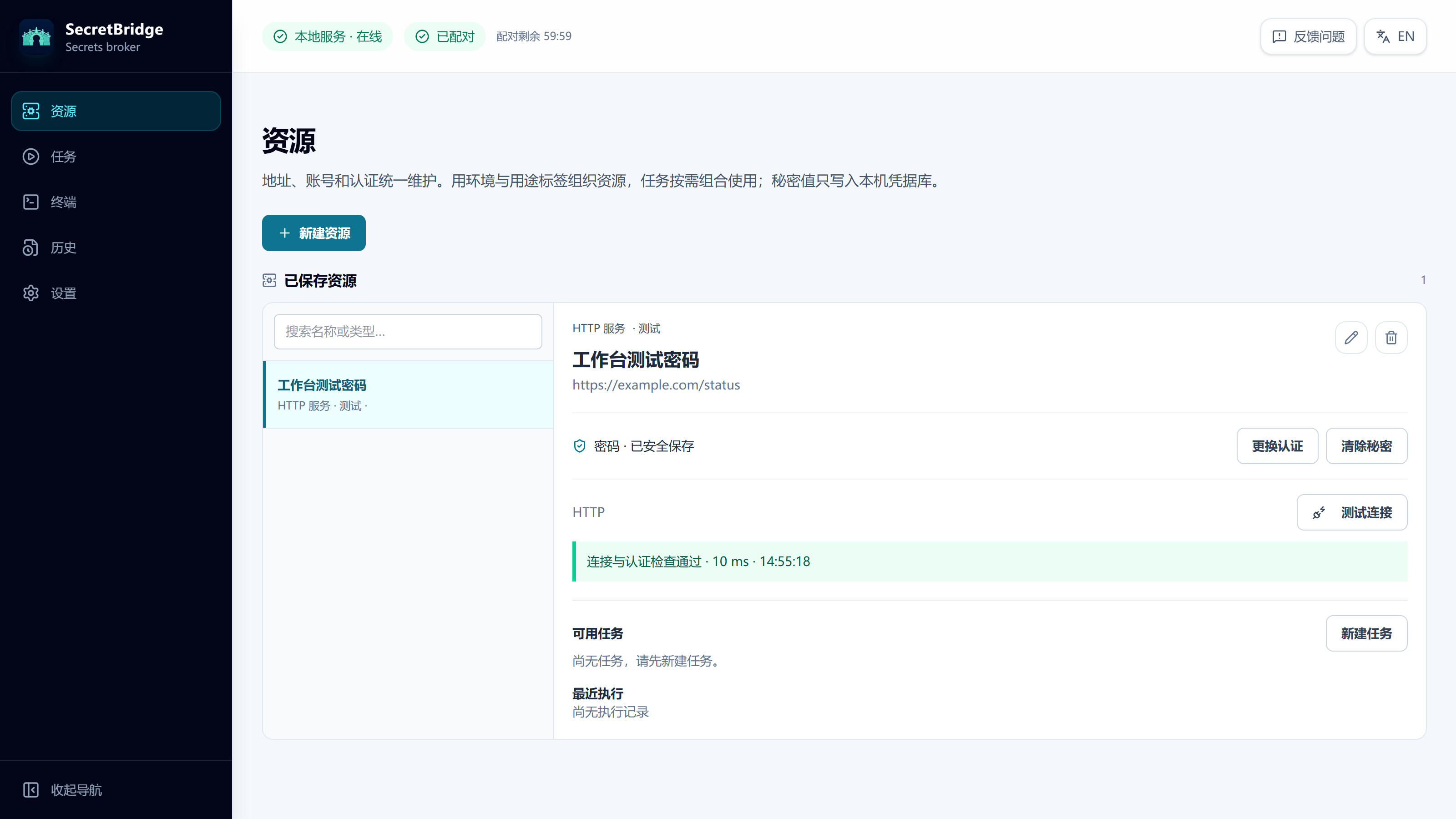
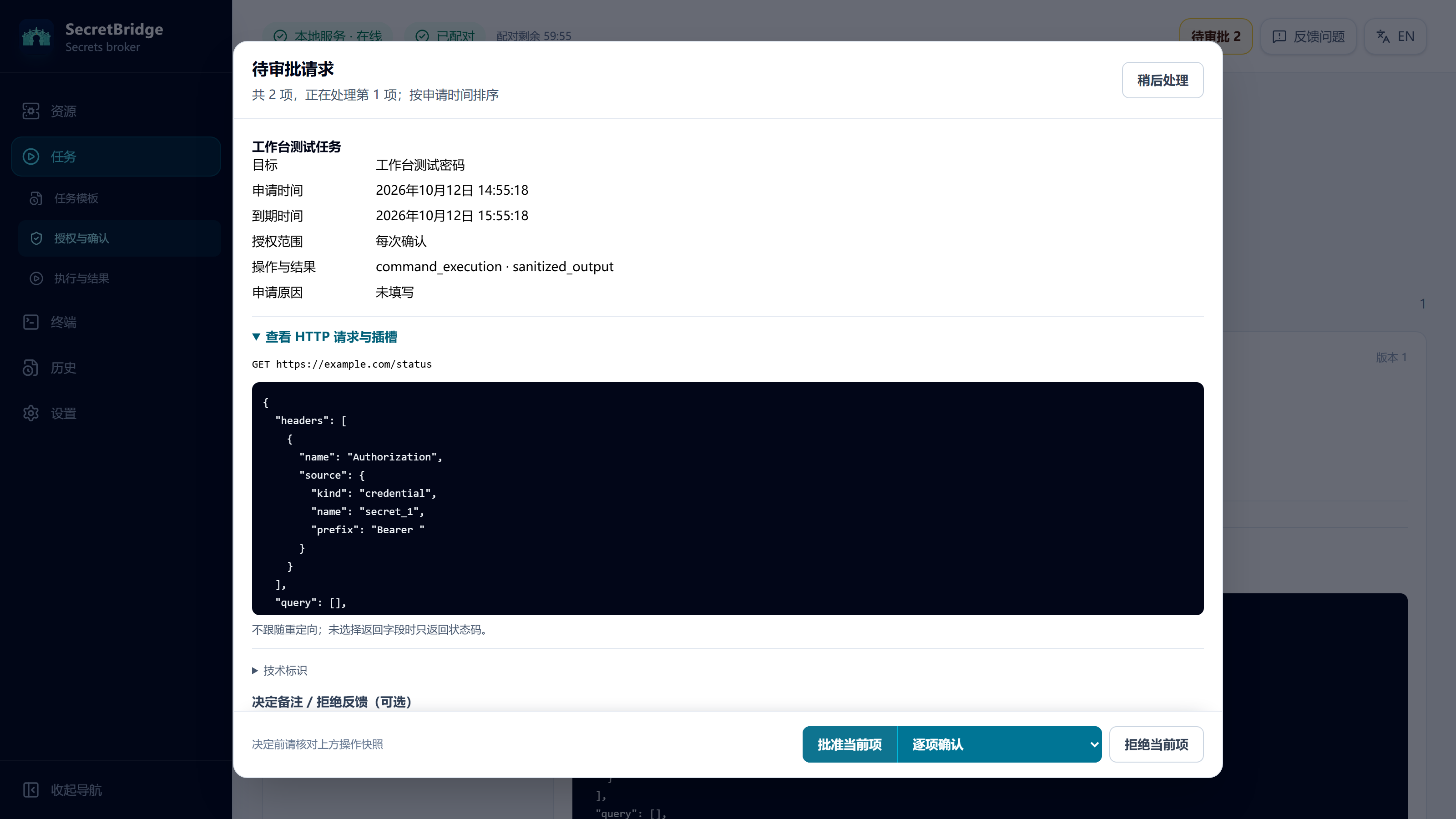
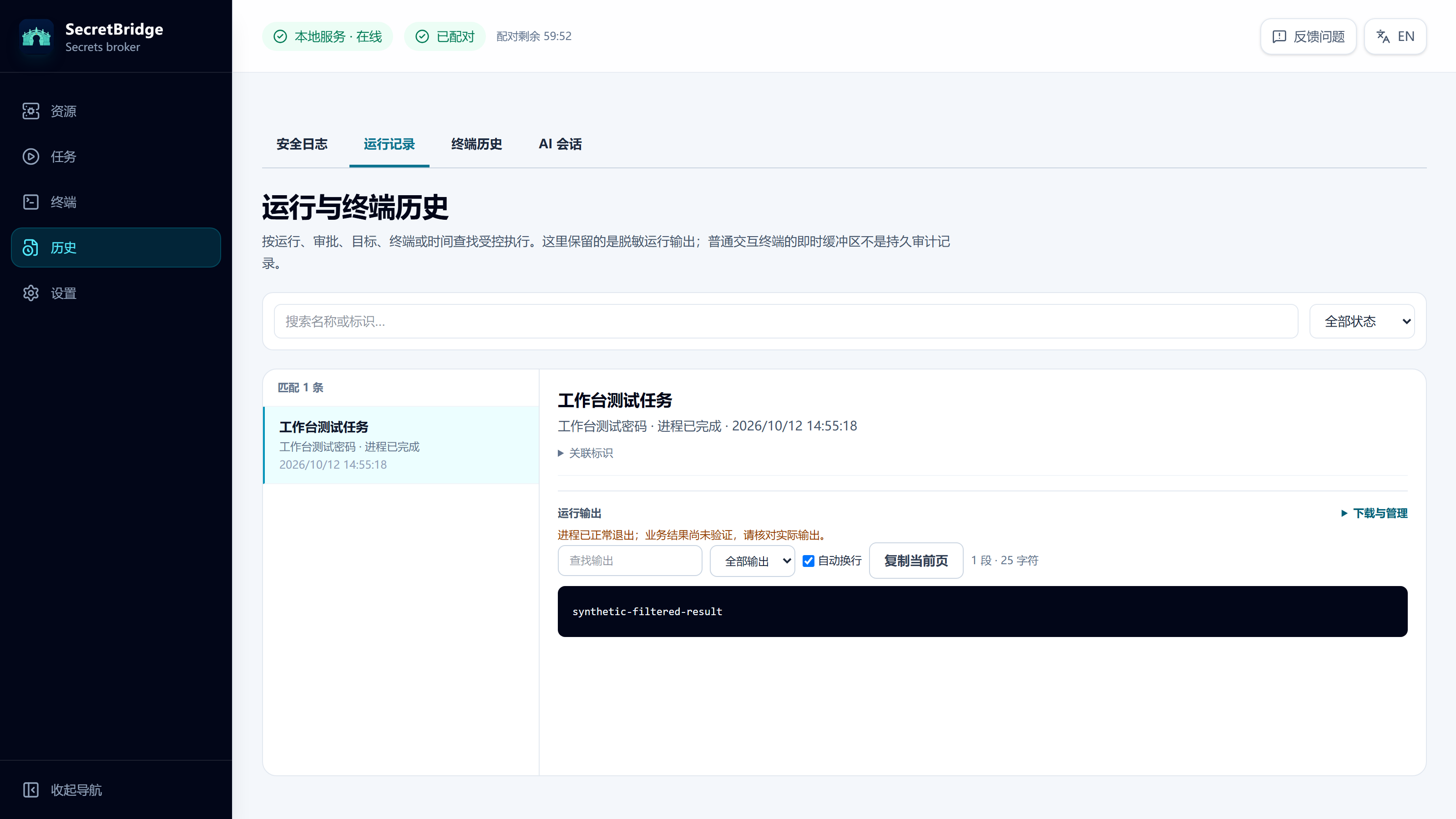
Interface previews use the current SecretBridge frontend and isolated test data; they do not represent a real connection or execution.
SECRETBRIDGE IN CODEX
Use SecretBridge to inspect the Ubuntu test environment: system, CPU, memory and disk. Read only; do not change the system.
I will use SecretBridge’s controlled SSH tool and review the resource and operation scope first.
secretbridge client-plugin codex <new-absolute-directory>
codex plugin marketplace add <same-absolute-directory>
codex plugin add secretbridge@secretbridge-local
Install and initialize SecretBridge first, then replace the placeholders. Current Codex CLI versions have a marketplace-manifest compatibility issue; verify callable MCP tools after installation.
secretbridge_begin_conversationCompleteRegister a separate conversation and use the console’s language for operation descriptions.
secretbridge_list_catalogCompleteFound “Ubuntu test environment”. The tool returns metadata and opaque references, not passwords.
secretbridge_request_sshRequested/usr/bin/bash -lc
printf 'SYSTEM\n'; uname -sr; printf '\nCPU\n'; getconf _NPROCESSORS_ONLN; printf '\nMEMORY\n'; free -m; printf '\nDISK\n'; df -h /20-second timeout · SSH fingerprint verified by the user through a trusted channel · Individually quoted arguments
The user reviews the command in SecretBridge and approves this item. Per-operation approval remains enabled; the plugin does not generate authorization.
After local approval → Approvedsecretbridge_get_approvalapprovedsecretbridge_create_runExecutedUse the approved request and one stable idempotency key. Credentials are used only inside the broker for SSH authentication.
secretbridge_get_runsucceededsecretbridge_read_run_outputCursor 0 → 8SYSTEM
Linux 7.0.0-31-generic
CPU
4
MEMORY
total used free shared buff/cache available
内存: 7889 2347 859 27 5008 5542
交换: 4095 0 4095
DISK
文件系统 大小 已用 可用 已用% 挂载点
/dev/sda2 98G 28G 66G 30% /
secretbridge_list_run_eventsCompleteCheck complete: Linux 7.0.0-31-generic, 4 logical CPUs, about 7.7 GiB memory and 30% root filesystem usage. These values describe this test run; exit code 0.
The remote system was not modified. Returned public evidence contains no test address, account or credential.
Illustrative interface with edited conversation text; tool names and flow follow the real test. Results come from an approved SSH check on 2026-09-29. Codex is an OpenAI product; this demo does not imply endorsement or marketplace listing. Plugin integration guide
BUILT FOR REAL WORK
Query the fields you need, with bounded results.
PostgreSQL / MySQLRead the guide Bind the target, authentication and response fields.
Bearer / Basic / API KeyRead the guide Review commands and perform approved work in a broker-owned terminal.
SSH / SFTP / Git HTTPSRead the guide FITS YOUR TOOLCHAIN
Connect over local stdio MCP. Successful setup does not authorize business operations.
TWO PRODUCT DIRECTIONS
A complete local credential, approval and execution workflow for one user.
A separate product direction for collaboration, central policy and managed nodes.
Need proprietary integration or separate authorization? Explore commercial licensing
LATEST RELEASE
Unified resources, HTTP authentication, approvals and terminal history.
The open-source edition runs on your computer with a loopback-only console. This website provides public documentation and downloads; it does not connect to your credentials or terminal.
MCP exposes no secret read or export API. The user controls authorization locally; an optional authenticator can relay a user-provided single-use code for one identified request.
Setup guides cover Codex, Claude Code, Cursor, GitHub Copilot CLI, OpenCode, WorkBuddy, DeepSeek Harness and generic local stdio MCP clients. See the integration guides for requirements.
The current 0.3.1 does not guarantee direct upgrades from older databases or configuration bundles. Evaluate in a new empty directory and preserve the previous installation and an independent backup.
START LOCAL. STAY IN CONTROL.